
 Español (ES)
  Português (PT)
  Italiano (IT)
  Deutsch (DE)
  Français (FR)
  English (EN)
 Sorry but the videos are currently only available in Italian language:
Gestics Sports - Video Guide - Installation of LibreOffice on Windows
Gestics Sports - Video Guide - Installing Gestics Sports
Gestics Sports - Video Guide - Optimizing the Workspace (interface)
Gestics Sports - Video Guide - Basic use of the program - My first job
Gestics Sports - Video Guide - Coloring Players and Object
Gestics Sports - Video Guide - How to Use Gestics Sports - First Use
Easy and user-frendly software to make sports exercises with graphics schemes, a simple program to create sports exercises, drawing drills and training, tutorials, techniques and tactics in waterpolo
 It is an extension, that is an addition to the program LibreOffice / OpenOffice that allows anyone to create sports exercises, drills, diagrams and game situations even if you don't have drawing skills.
In fact, with a few simple mouse movements you can set up various types and various views of the field of waterpolo, have players and objects, set the trajectory of the ball, and so on.
In this package you can find several images that represent the symbols of the sport water polo: players, balls, fields, networks, etc.. These images, all in vector format, are very suitable for the construction of exercises and drills.
Sincere thanks go to a young designer, Selene F. who designed the initial images of the players on paper. The present work has been done and edited by prof. Gianpaolo Lucatti. The images have been revised and organized in the gallery in different themes. The program is covered by a license that will be asked of course the end user to be accepted at the time of installation.
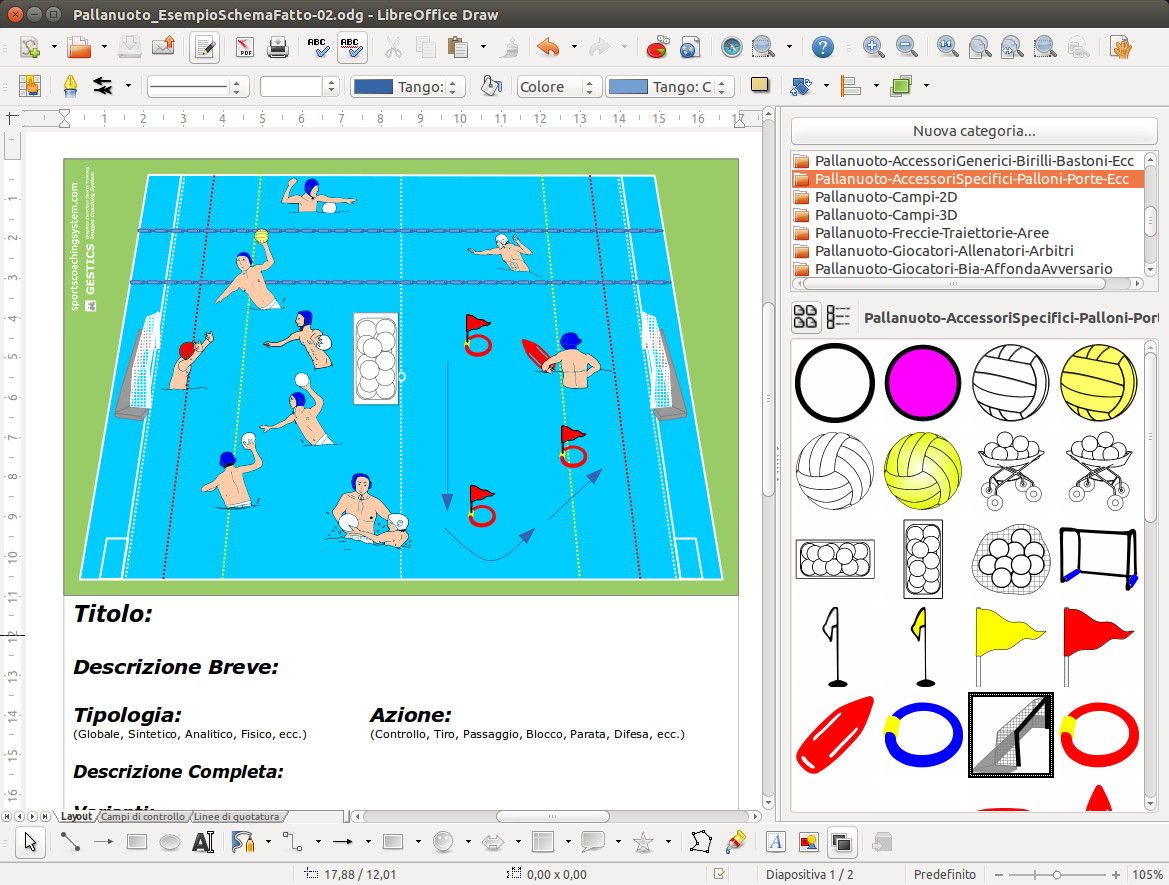 As soon as we finished the installation we are ready to begin.
To use GESTICS just open LibreOffice Draw (Drawing), the software to create drawings, click on the gallery  (Or go to the Tools menu and click Gallery.) And GESTICS can be used by other programs in LibreOffice, in fact, the gallery will be also integrated in Libreoffice Writer (word processor), in Libreoffice Impress (presentations) and in all other programs in the suite.
The galleries are organized in a simple and intuitive way!
The basic model that LibreOffice Draw displays at the time of the opening has the page set with margins at 1 cm on all sides. We recommend that you set the page margins to 2 cm on all sides, (To do this just go to the menu Format -> Page and from there set the margins to 2 cm), or open or download directly from this link the template already set up as it should be called (Base Model Creation Of Cards For Exercises Diagrams pallanuoto.odg) waterpolo.odg), inclusive of the fields related to the description of the exercise and simply open it.
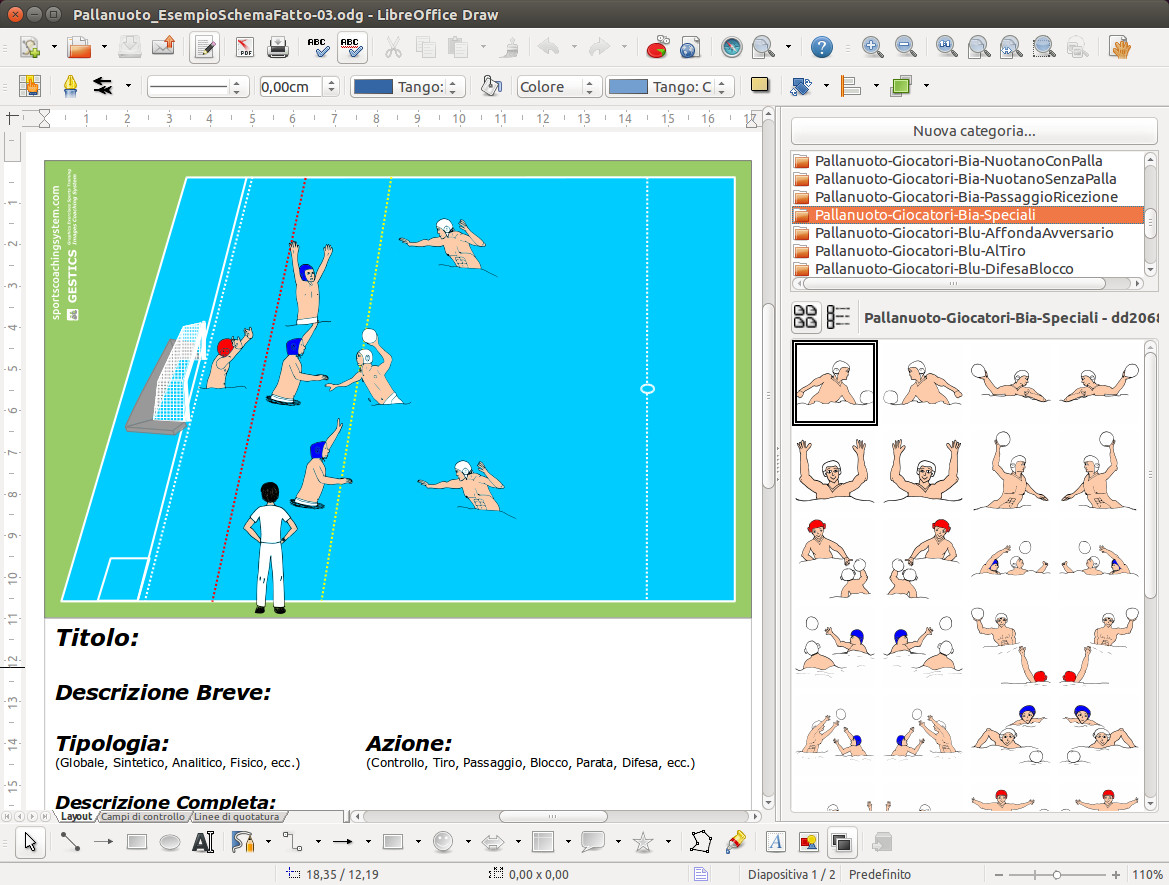 Create your own sports exercises and trainings, diagrams of play with a few clicks!
We begin to enter a playing field. We go for example in waterpolo 3D fields gallery, click and drag the field you want. You can choose the entire field or half-court with the view from above, of a sport to your liking. Position it in the top of the sheet, at the intersection of margins.
Then we go to the gallery of the players we are interested in, such as swimming without the ball, or in defense, choosing the color you want (of course we can always color them after their own pleasure). Now you can take the ball or the basket of balls, braces, pins, add text or another.
At the end of your work you can made the description, and also in this case ypu have at the bottom of all the models of fields, a text frame preset that once dragged and positioned in the page is ready to be able to enter a description or if you do not like you can edit or create a new one according to your needs.
At the end of your work save the file, print it, turn it into a picture or export to pdf. Your exercises or diagram of play will be so ready, also perfect in detail and easy to categorize and remember.
Good preparation of trainings and enjoy with GESTICS !!!
|
|||||||
|
|||||||
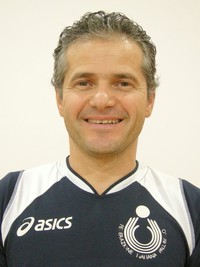
Gianpaolo Lucatti, a physical education teacher, graduated first in accounting and then in motor sciences, with honors at the ISEF in Florence in 1990. He holds several patents and has served as an instructor, in many national sports disciplines.
He has carried out activities throughout the field, from kindergarten children, 4-6 years old, up to gentle gymnastics for the elderly, passing through fitness, aerobics, bodybuilding, football, artistic gymnastics, volleyball, Olympic Centers, Training Centers and Ludico Motors, Playsport, Fantathlon, swimming, assistant bathers, and other related activities. He has had teaching experiences at public schools, private gyms, in prison, in swimming pools, at summer solar camps, etc. He has always tried to make his best duty as an educator and animator, as a teacher and coach, aware that everything he can teach his students is only a small part of what the students themselves can teach him.
Since 1995, he has also a great passion for computer science, in particular for open source software (Gnu/Linux, LibreOffice, The Gimp, Inkscape, etc.) and for programming, as well as for the creation of Web Sites. One thing in particular, however, despite having tried several times, has never succeeded too well: to realize the drawings of the exercises that he carefully organized and cataloged in different collections. As the saying goes: “an image is worth a thousand words”
Hence the idea of GESTICS, create a program that would allow even those who do not know how to draw to create images for sports exercises, game and training schemes, technical and tactical exercises. Looking on the internet you can find something similar, there are several, more or less complicated, but all those I found have been made in my opinion in a fairly manned way and with reduced functionality, since they were programmed from the beginning and not starting from a base of acquired and shared features.
The main idea was that the software was simple to use, it could be used on all operating systems, in all languages and that it had features superior to those of other software that were already present. As happens in the open source software, it was not necessary to start from scratch, but from the point where others had already arrived. No need to reinvent the wheel!!!
There is already a magnificent program that more than anyone using a computer can be used regularly, is called LibreOffice. It can be installed on any computer, it is multilingual, it is simple, it has very high graphic features, it is an open source software, released under the GNU LGPL license, multilingual (over 50 languages worldwide) that you can download, install and use for free at will.
Together with a group of small but large designers, over thirty boys with high graphic qualities, several coaches have been contacted and together we have analyzed the various sports and identified the fundamentals of the game and the various technical gestures that are normally found in a particular sport. Then we called the players from each sport and took photos of the technical gestures in the various angles necessary for a global view of the field. From the photos we reproduced all the drawings. We have identified and designed for each sport all the views of the field and the accessories necessary for training, both generic and specific. All drawings created in vector format have been packaged and grouped into galleries, ready to be used by anyone.
Then over time we moved on to another software for the realization of 3D models, that is, three-dimensional models, still an opensource Blender software that is Free Software. ... and many other benefits have been added to the initial program. We are still making changes, improvements and new features, new sports, new models, new features that make GESTICS a really useful software for all coaches and teachers.
A work done with great passion and care by a team of many people. A sincere thanks to everyone not only for the commitment, but also for the harmony and fun that accompanied us in this project.
Easy and user-frendly software to make sports exercises with graphics schemes, a simple program to create sports exercises, drawing drills and training, tutorials, techniques and tactics in volleyball
 It is an extension, that is an addition to the program LibreOffice / OpenOffice that allows anyone to create sports exercises, drills, diagrams and game situations even if you don't have drawing skills.
In fact, with a few simple mouse movements you can set up various types and various views of volleyball, have players and objects, set the trajectory of the ball, and so on.
In this package you can find several images that represent the symbols of the sport volleyball: players, balls, fields, networks, etc.. These images, all in vector format, are very suitable for the construction of exercises and drills.
Sincere thanks go to a young designer, Selene F. who drew the initial images of the players on paper. The present work has been done and edited by prof. Gianpaolo Lucatti. The images have been revised and organized in the gallery in different themes. The program is covered by a license that will be asked of course the end user to be accepted at the time of installation.
 As soon as we finished the installation we are ready to begin.
To use GESTICS just open LibreOffice Draw (Drawing), the software to create drawings, click on the gallery (Or go to the Tools menu and click Gallery.) And GESTICS can be used by other programs in LibreOffice, in fact, the gallery will be also integrated in Libreoffice Writer (word processor), in Libreoffice Impress (presentations) and in all other programs in the suite.
The galleries are organized in a simple and intuitive way!
The basic model that LibreOffice Draw displays at the time of the opening has the page set with margins at 1 cm on all sides. We recommend that you set the page margins to 2 cm on all sides, (To do this just go to the menu Format -> Page and from there set the margins to 2 cm), or open or download directly from this link the template already set up as it should be called (BasicModel_ForBuildingSportsExercises_Volleyball.odg), inclusive of the fields related to the description of the exercise and simply open it.
 Create your own sports exercises and trainings, diagrams of play with a few clicks!
We begin to enter a playing field. We go for example in volley 3D fields gallery, click and drag the field you want. You can choose the entire field or half-court with the view from above, of a sport to your liking. Position it in the top of the sheet, at the intersection of margins.
Then we go to the gallery of the players we are interested in, such as standing or in defense, choosing the color you want (of course we can always color them after their own pleasure). Now you can take the ball or the basket of balls, braces, pins, add text or another.
At the end of your work you can made the description, and also in this case ypu have at the bottom of all the models of fields, a text frame preset that once dragged and positioned in the page is ready to be able to enter a description or if you do not like you can edit or create a new one according to your needs.
At the end of your work save the file, print it, turn it into a picture or export to pdf. Your exercises or diagram of play will be so ready, also perfect in detail and easy to categorize and remember.
Good preparation of trainings and enjoy with GESTICS !!!
|
|||||||
|
|||||||

Exercícios esportivos, exercícios e treinamento esportivo,
exercícios técnicos e táticos feitos com
GESTICS TÊNIS
Todos os exercícios desta seção foram exportados em formato jpg, ou seja, como uma imagem do trabalho realizado, mas Gestics Sport permite que você salve muitos outros formatos, tanto em formato nativo editável o LibreOffice está pronto para imprimir em PDF.
Subcategorias
PT - Sport Exercises
PT - Futebol - Exercícios Esportivos
Futebol - Exercícios Esportivos
PT - Futsal - Exercícios Esportivos
Futsal - Exercícios Esportivos
PT - Basquetebol - Exercícios Esportivos
Basquetebol - Exercícios Esportivos
PT - Vôlei - Exercícios Esportivos
Vôlei - Exercícios Esportivos
PT - Rugby - Exercícios Esportivos
Rugby - Exercícios Esportivos
PT - Tênis - Exercícios Esportivos
Tênis - Exercícios Esportivos
PT - Jogos de Movimento e Esportes para Crianças - Exercícios Esportivos
Jogos de Movimento e Esportes para Crianças - Exercícios Esportivos